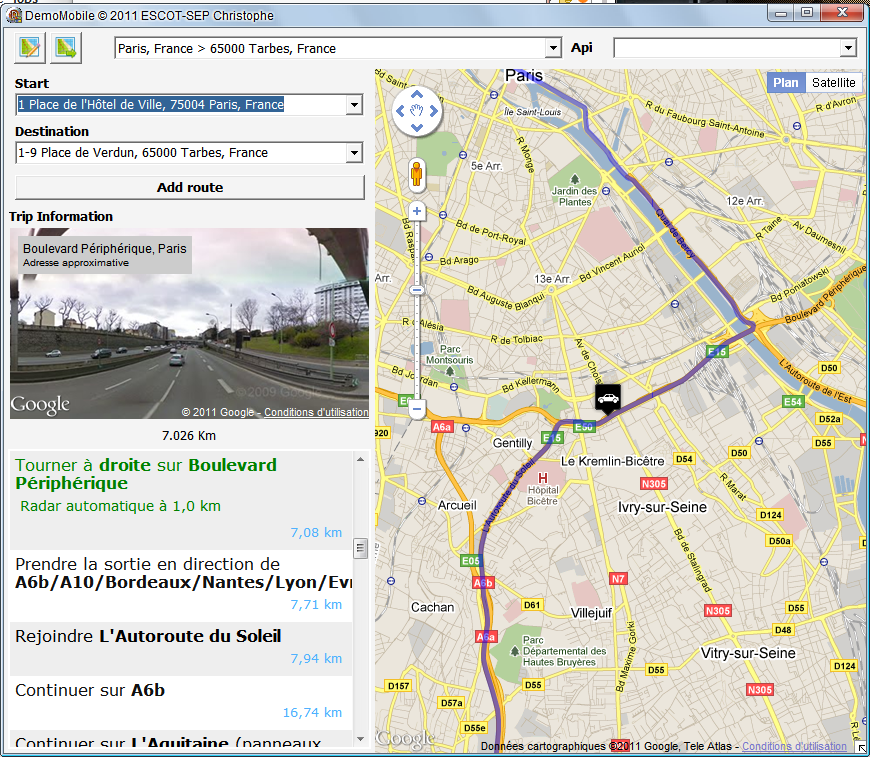
Property type TECMapStreetView StreetView enables you to manage the display StreetView
Not available CloudMade
24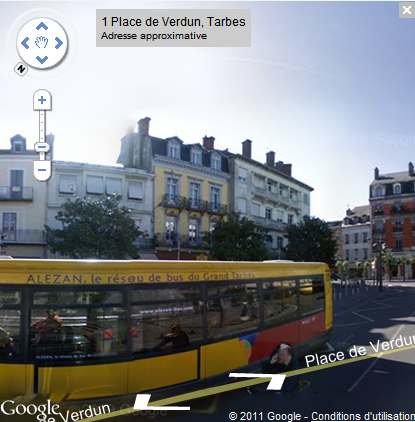
TECMapStreetView
It gives access to properties and methods
Change the position of the point of view
Trigger events OnStreetViewPosition and OnStreetViewAvailable
Property read / write for the show or not to StreetView
Raises the event OnStreetViewVisible
Property read / write to define the viewing direction of camera, 0° = North, 90° = East, 180° = South et 270° = West
Raises the event OnStreetViewPOV
Property read / write to set the vertical rotation of the camera, to 90° at -90°
Raises the event OnStreetViewPOVProperty read / write to set the zoom level
Raises the event OnStreetViewPOV
Property read / write sets the position of the control bar
Possible values are :
- cpTopLeft
- cpTopCenter
- cpTopRight,
- cpRightTop
- cpRightCenter
- cpRightBottom
- cpBottomRight
- cpBottomCenter
- cpBottomLeft
- cpLeftBottom
- cpLeftCenter
- cpLeftTop
Property read / write to style the control bar
You have the choice between :
- DEFAULT
- ANDROID
- LARGE
- SMALL
FPoly : TECShapePolygone;
FPoly := TECShapePolygone(map.add(nsPolygon,Lat,Lng))
;
FPoly.OnAfterDraw := doAfterDraw;
FPoly.Description := 'Polygone
'+inttostr(map.Shapes.Polygones.Count);
procedure
TFormNativeLinePolygone.doAfterDraw(const canvas:TECCanvas;var Rect:TRect;item:TECshape) ;
var x,y,w,h:integer;
begin
//transparancy text
canvas.brush.Style := bsClear;
canvas.font.color := clBlack;
canvas.font.Style := [fsBold];
w := canvas.TextWidth(item.Description) ;
h := canvas.TextHeight(item.Description);
x := rect.Left+((rect.Right-rect.Left-w) div 2);
y := rect.top+((rect.bottom-rect.top-h) div 2);
canvas.TextOut(x,y,item.Description);
end;
Events
Triggered when the view becomes visible StreetView is not visible
The closure of the X button to trigger this event with bVisible to false
49